UI/UX Case Study
HelpHive
A Volunteering App
An app designed for York Students to find and track volunteering opportunities, offering a variety of activities to choose from and keeping a record of participation.
•
University of York
•
Team of 5 Students
Connecting York Residents with Volunteering Opportunities
The City of York Council requested an app that will provide York residents with an overview of the range of activities they can undertake — from leaf cleaning to being a young people's mentor — and keep a record of their participation.
Key Objectives
1
2
3
Discover Volunteering Opportunities
Select Time and Date from Predefined Options
Keep record of participation and reflection
THE CHALLENGE
Understanding Our Users
We administered a comprehensive questionnaire to understand the users of the app and their expectations.
61
Total Participants
45
Valid Responses
32
Questions Asked
Ethical Considerations
All participants were provided with a consent form explaining the purpose of the research. To prevent any influence of social desirability bias (SDB), we kept the questionnaire anonymous. The last question was open-ended, allowing users to provide feedback on their expectations of volunteering websites. The questionnaire was created through Qualtrics.
USER RESEARCH
Organizing Insights
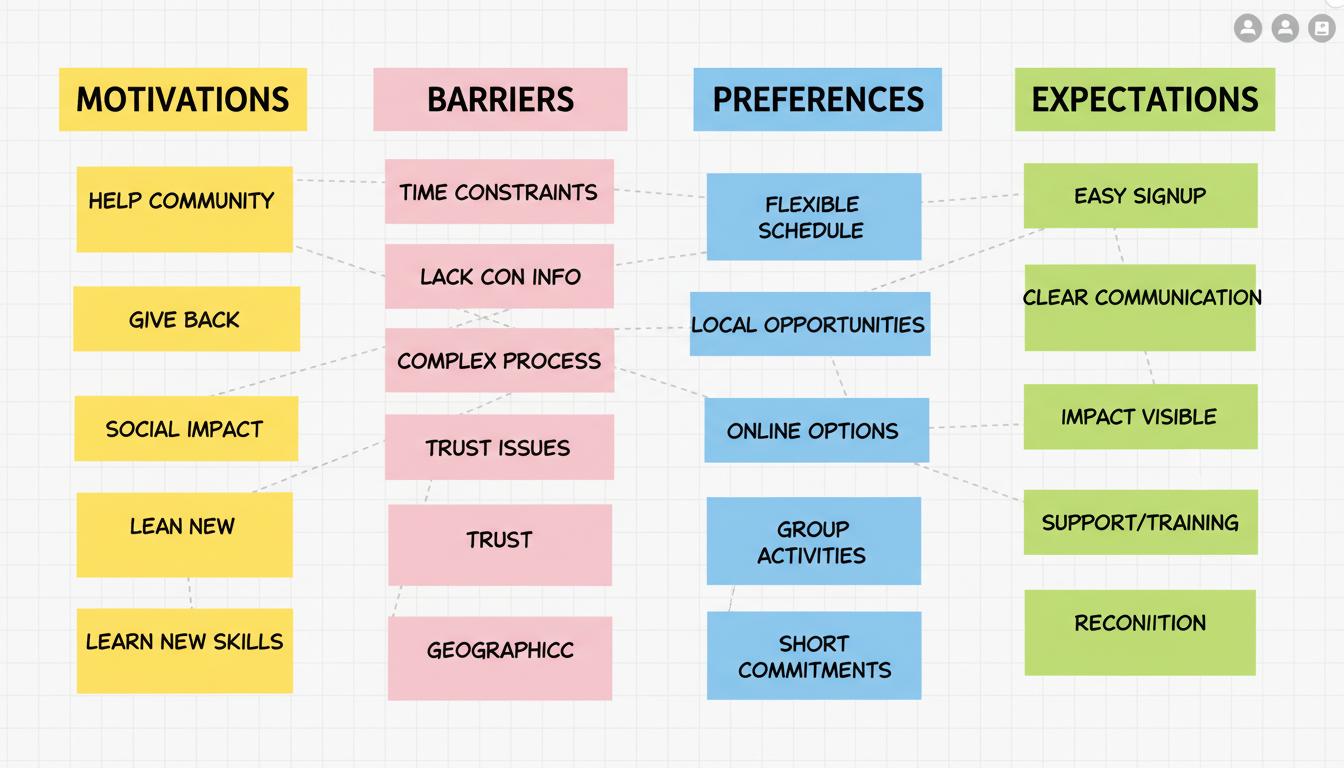
To organize open-ended questions, an affinity diagram was created. It was completed by sorting and organizing the data into distinct clusters, categories, and sub-categories. This allowed the team to gain a better understanding of the responses submitted by the participants. The tool used for this process was Miro.
AFFINITY DIAGRAM
Meet Our Users
Based on the data collected, analyzing it, and distinguishing differences among users, we created two personas.
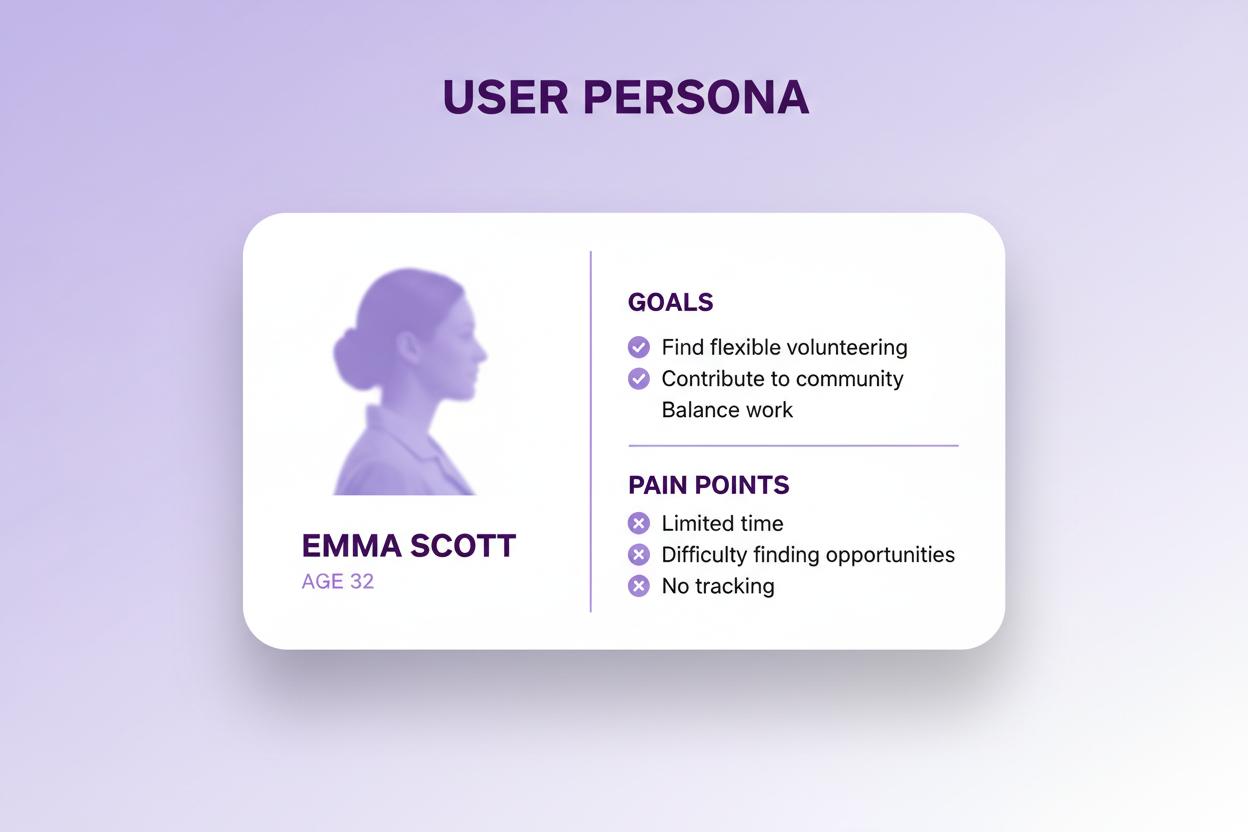
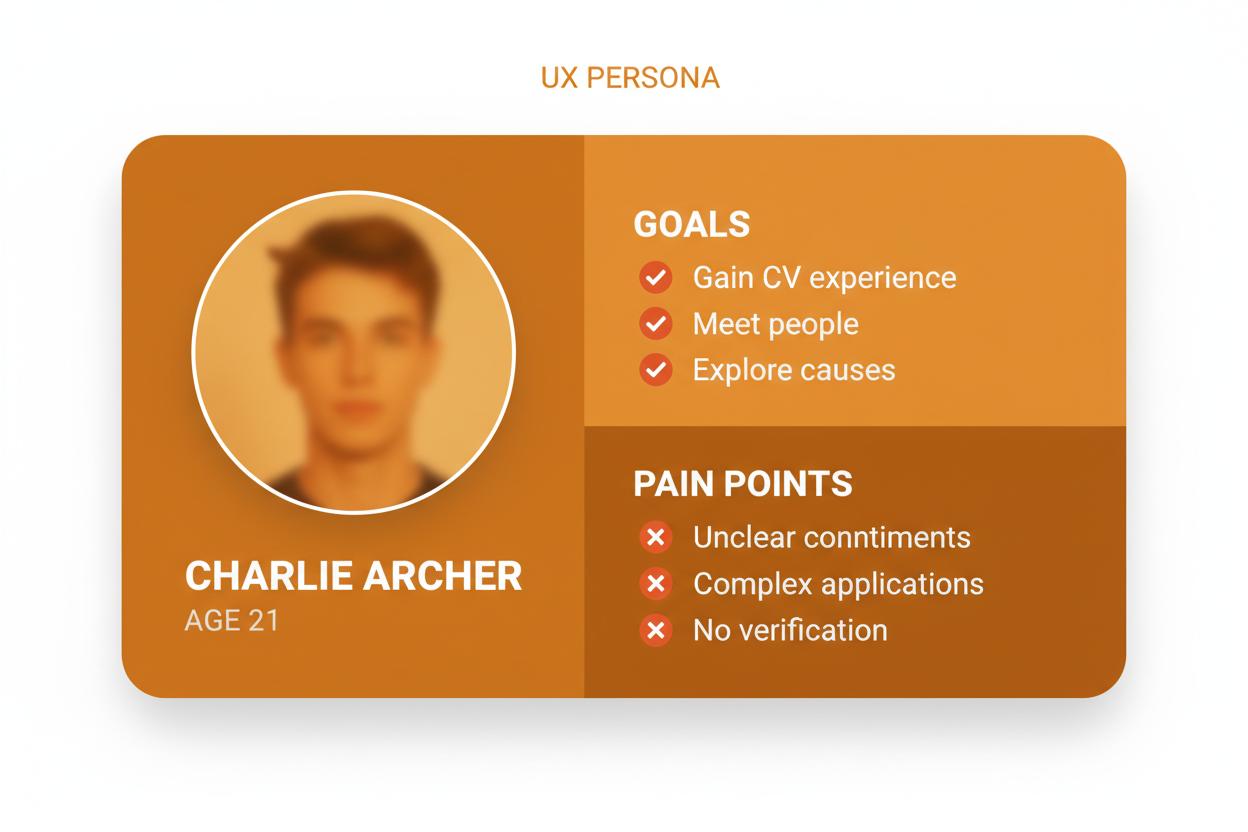
Emma's Struggle
Emma, after her work, is planning next week's activities and analyzing her work schedule. Besides her morning routine, which is going for a run, she wants to help the local community before her work, and is looking for some volunteering activities that are available in York.
Current Pain Points
Current Positives
The HelpHive Experience
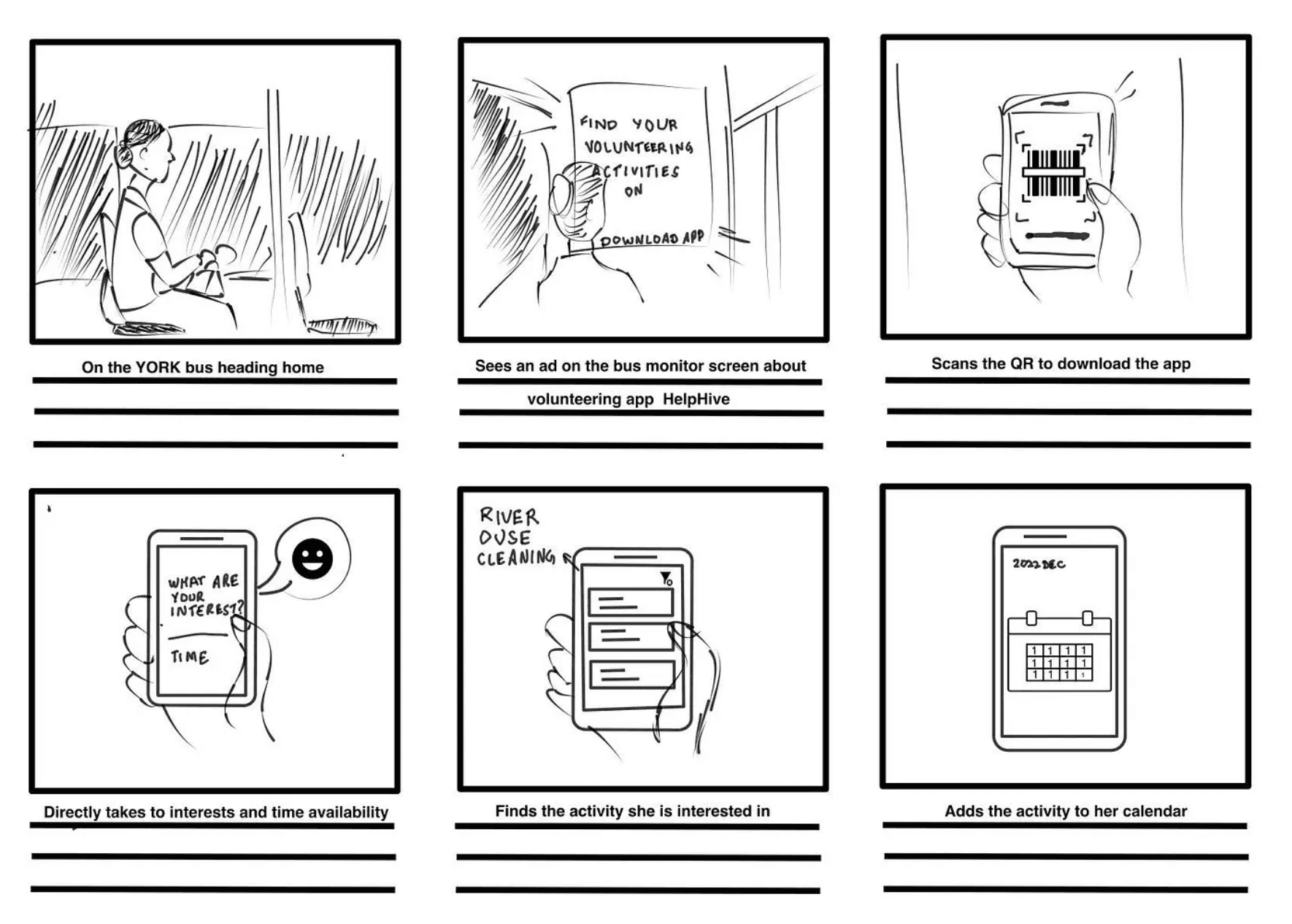
It's late at night, and Emma is on the York bus heading back home. She stares absent-mindedly at the ads flashing on the monitor when all of a sudden, the Volunteer HelpHive app ad comes on. It's been on Emma's mind to do some volunteer work in York but she never really had the time or patience to find volunteer opportunities near her.
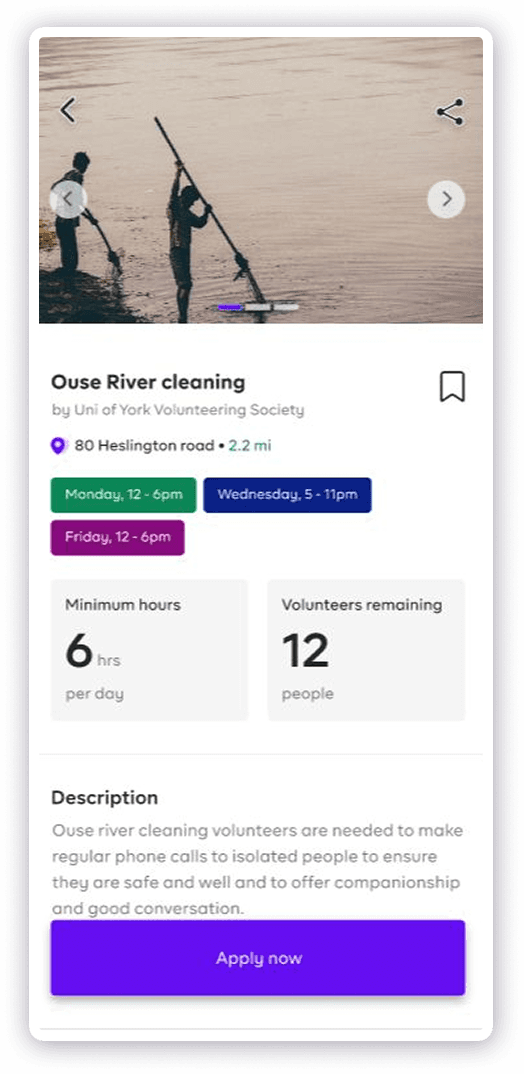
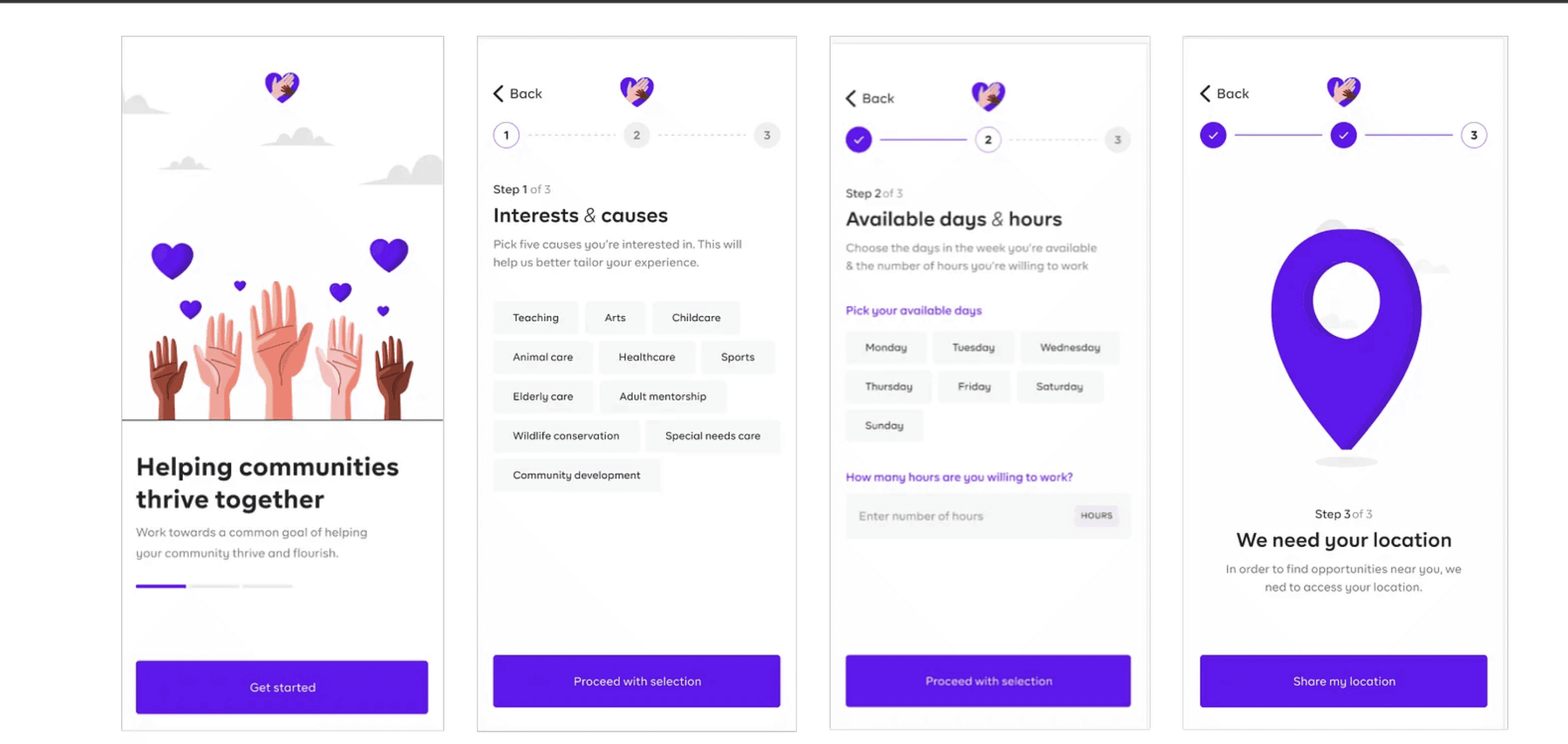
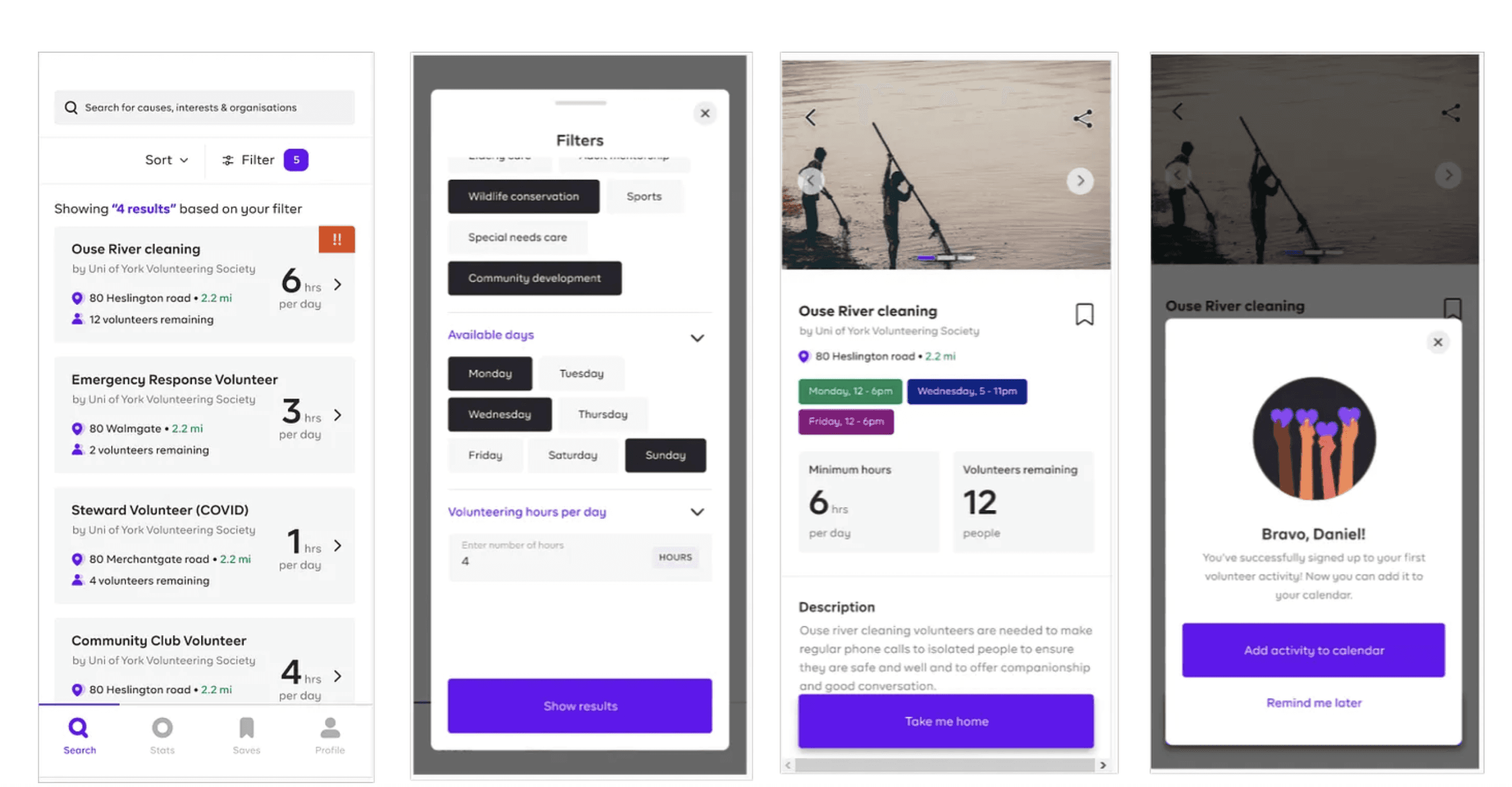
She decides to seize the moment and scan the QR code on the ad to download the app. Knowing how tedious the signup processes are, she mentally prepares herself for this. However, she was astonished that the app directly takes her to the page where she can filter out the activities based on her interests and time availability. She selected the river Ouse cleaning activity which is within her area. It adds it to her calendar so that she doesn't miss out on her commitments. She found the whole process hassle-free and was excited about helping the local environment.
Mapping the Journey
To start solving problems and design the app, we first created user flows based on how Emma Scott and Charlie Archer would use the app.
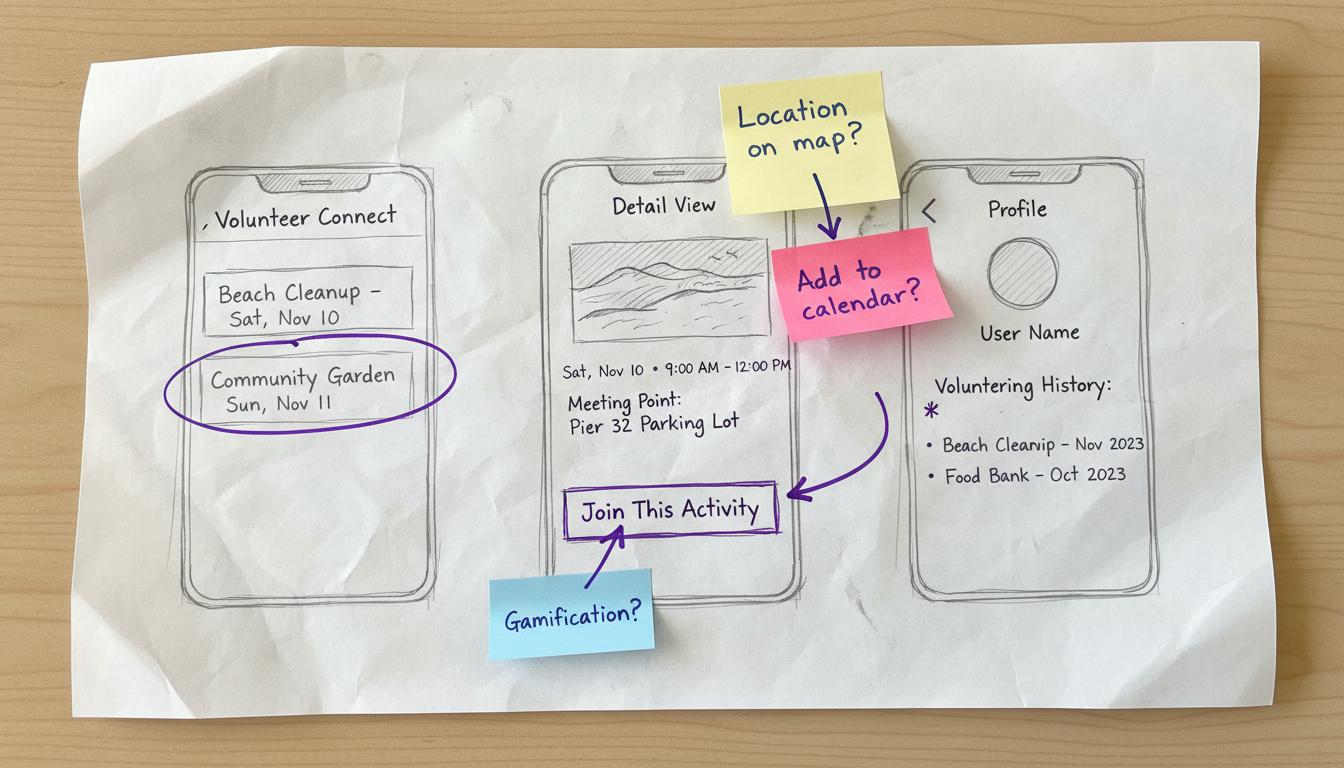
From Paper to Digital
We developed paper and digital prototypes influenced by the characteristics of our personas, Emma Scott and Charlie Archer. These designs show how the app could work for them, considering what they like and need.
Ensuring Usability
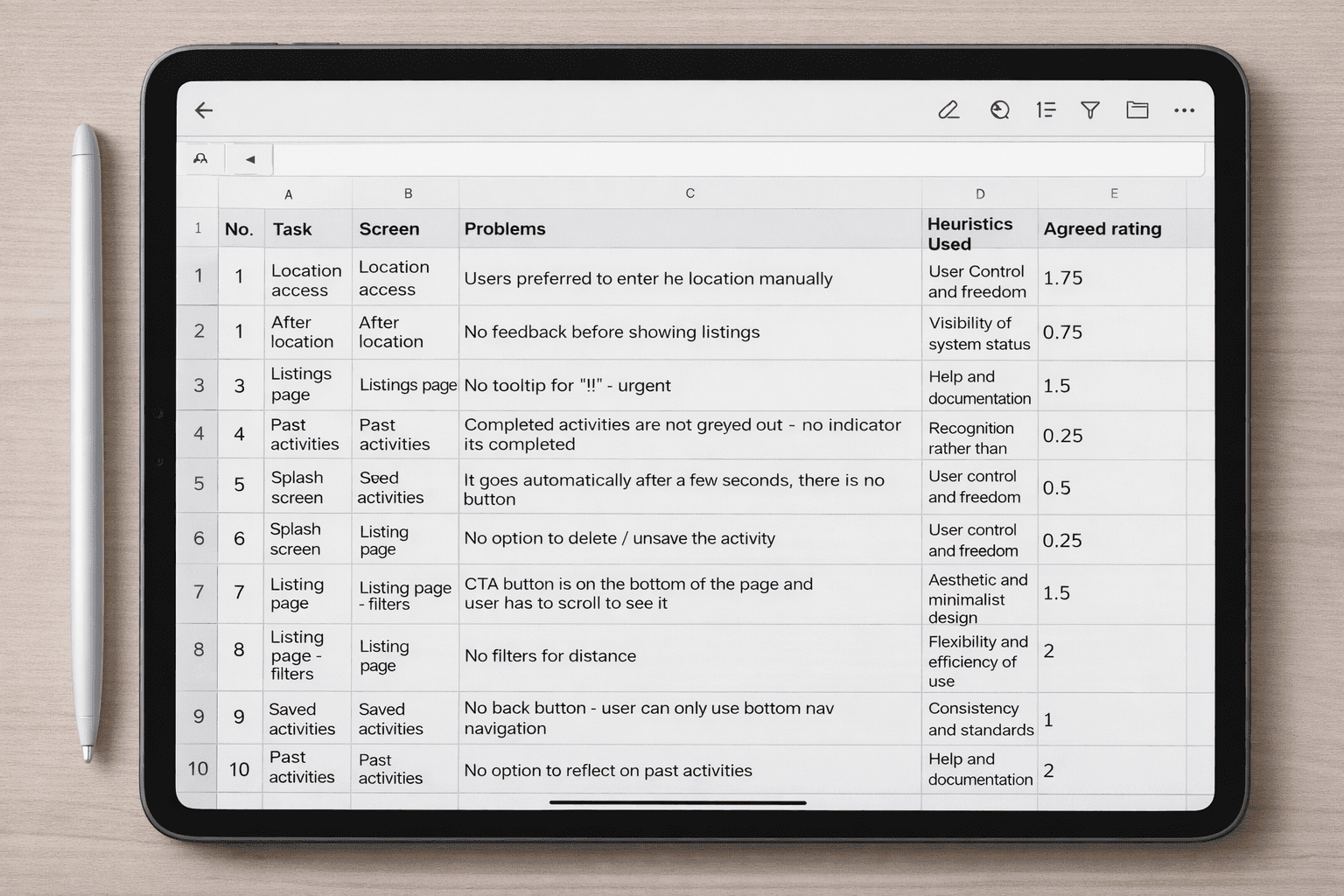
As part of the Collaborative Heuristic Evaluation, we used Nielsen's heuristics method to evaluate our designed interactive system prototype.
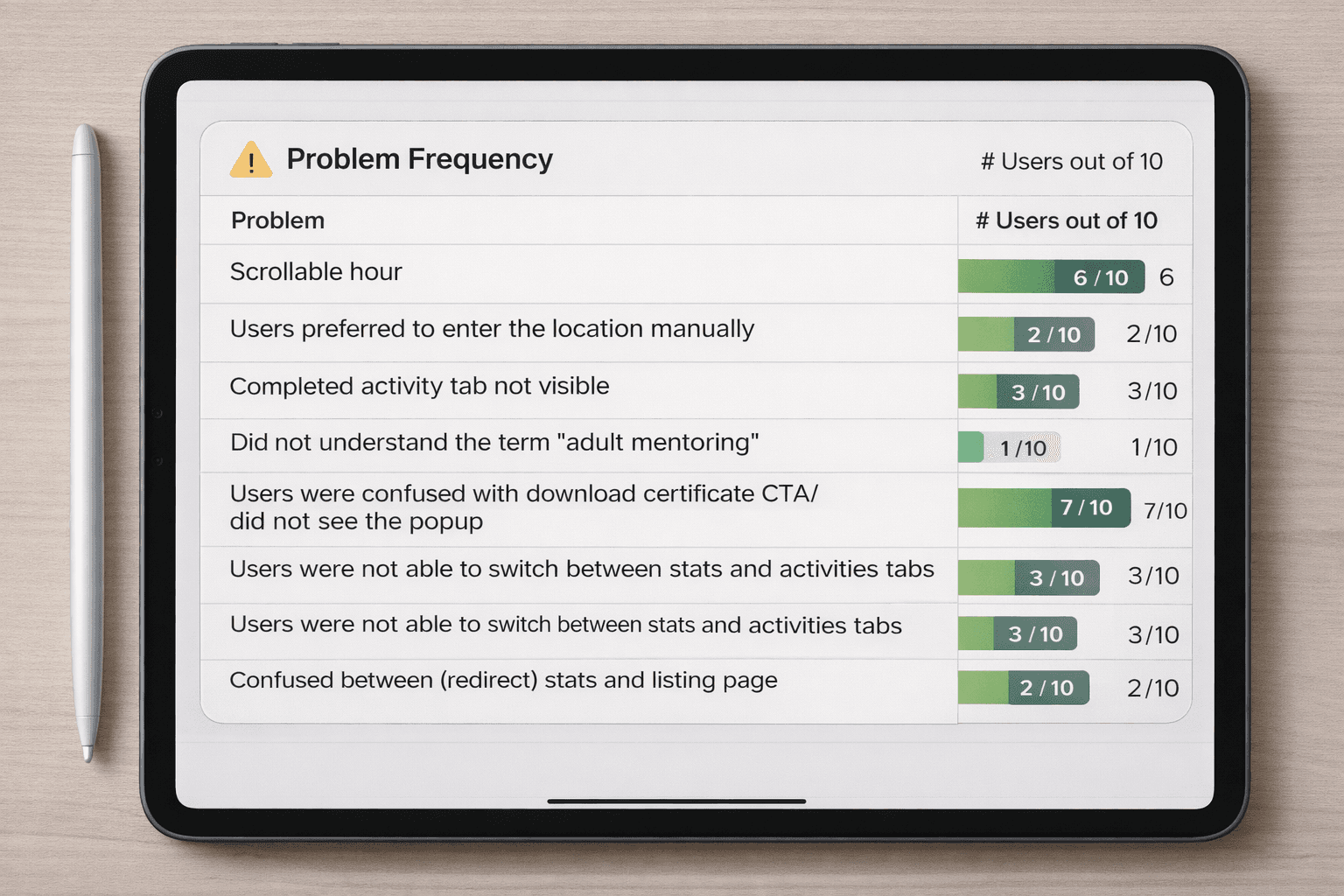
Findings
10
Problems discovered during the evaluation phase
1
Briefing
Explained study purpose
2
Consent
Provided information sheet
3
Tasks
Performed tasks thinking aloud
4
Feedback
Gathered additional insights
Testing with Real Users
To make sure the app works well for real users, we recruited participants to evaluate the app's usability. Before the evaluation, we explained the study's purpose during a briefing and provided participants with an information sheet and consent form.
Moreover, they were given a list of tasks to be performed on the app while thinking out loud. We encouraged them to share their thoughts and impressions. Following the activity, we asked participants additional questions to gather more insights about their experience with the app.
The Solution
The final solution involved creating a user-centric app inspired by the personas Emma Scott and Charlie Archer.
Discover
Select volunteering activities according to causes/interests with predefined filters
Schedule
Select time and date from predefined options, synchronized to calendar
Track & Reflect
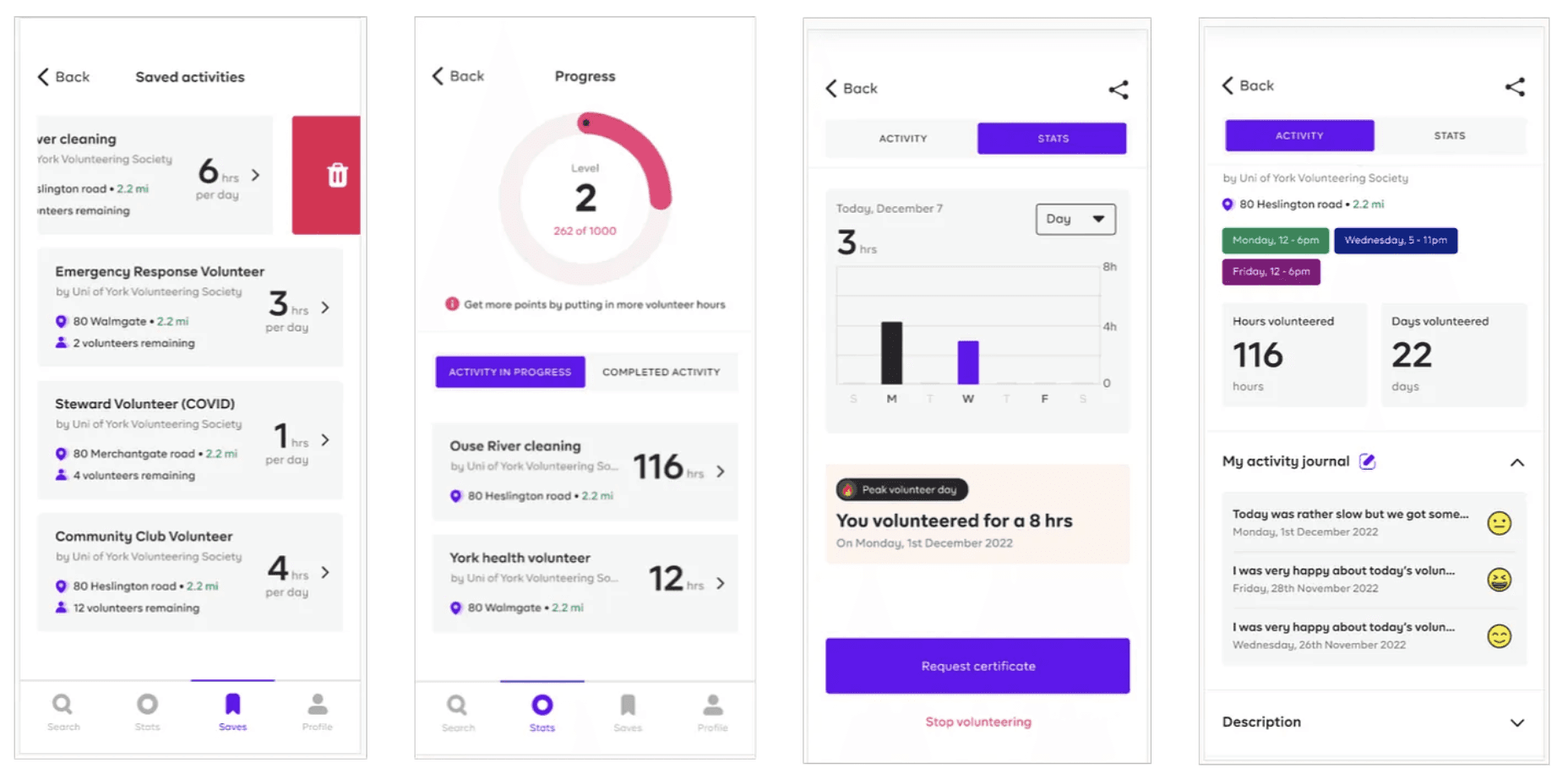
Keep a record of opportunities and reflections, request certificates
Gamification
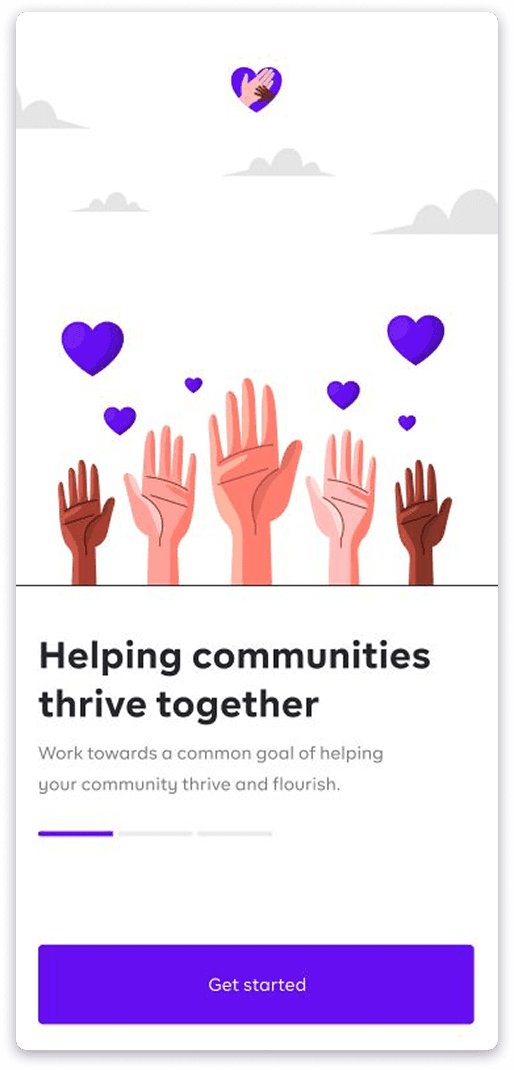
We added a small gamification feature using 'levels' to keep the users motivated and engaged with their volunteering journey.
Building Community Through Design
In summary, our iterative design process, guided by user flows and inspired by personas, led to the creation of HelpHive — a user-centric app that connects York residents with diverse volunteering opportunities, fostering community engagement through seamless exploration, participation, and record-keeping.
UX Design
Case Study
UI
Design Systems
No filtering options by category or cause
No filtering by day or time availability
Ambiguous textual descriptions
Lack of visual descriptions (pictures)
No clear time, date, and location info
No tiresome signup process
Trustworthy government-owned domain
Accessible to non-registered users
Read it on Medium